> ## Documentation Index
> Fetch the complete documentation index at: https://docs.guidewhale.com/llms.txt
> Use this file to discover all available pages before exploring further.
# Default
> This dashboard provides a quick overview of all your user activity for the selected time period.
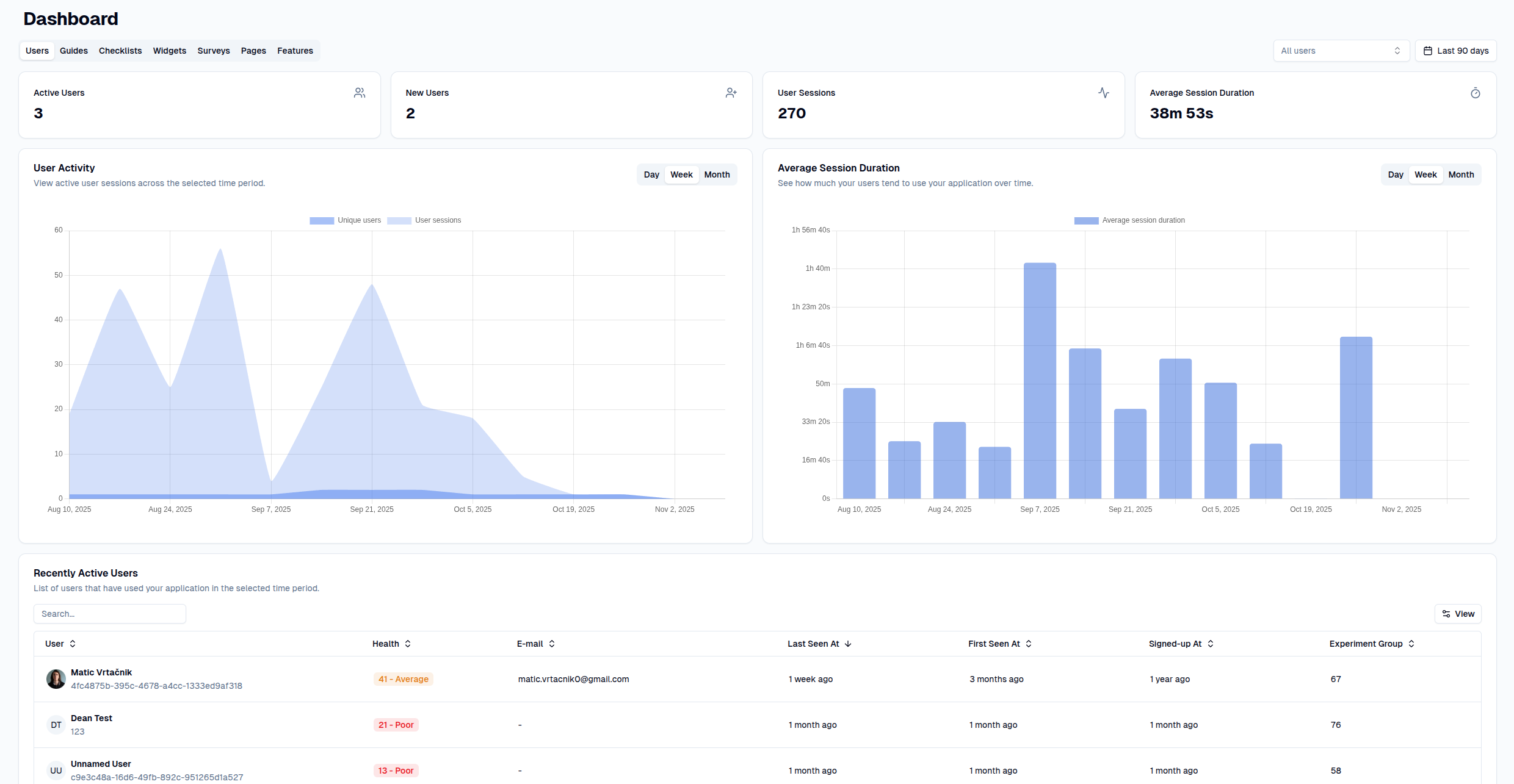 * **Users:** View how many of your users were active in a given time period and how long they spent inside your application.
* **Guides:** View how many guides were viewed and completed by your users in a given time period.
* **Checklists:** View how many checklists were viewed and completed by your users in a given time period.
* **Surveys:** View how many surveys were viewed and completed by your users in a given time period.
* **Widgets:** View how many widgets (banners, modal windows, hints) were viewed and completed by your users in a given time period.
* **Pages:** View how many pages were viewed by your users in a given time period and how long they spent on them.
* **Features:** View how many features were used by your users in a given time period.
* **Users:** View how many of your users were active in a given time period and how long they spent inside your application.
* **Guides:** View how many guides were viewed and completed by your users in a given time period.
* **Checklists:** View how many checklists were viewed and completed by your users in a given time period.
* **Surveys:** View how many surveys were viewed and completed by your users in a given time period.
* **Widgets:** View how many widgets (banners, modal windows, hints) were viewed and completed by your users in a given time period.
* **Pages:** View how many pages were viewed by your users in a given time period and how long they spent on them.
* **Features:** View how many features were used by your users in a given time period.