> ## Documentation Index
> Fetch the complete documentation index at: https://docs.guidewhale.com/llms.txt
> Use this file to discover all available pages before exploring further.
# Segments
> Create and manage company segments for content targeting.
## Why it matters
Company segments let you target GuideWhale content to organizations or accounts based on company-level attributes.
You can also target companies based on their users' most recent application activity and the date the company was first identified in GuideWhale.
This allows you to create targeted content for companies that have been inactive for a certain period or that were recently identified.
## Best Practices
* Provide GuideWhale with company sizes and industries to create better segments.
* Provide GuideWhale with the organization's subscription plan to target upsell flows.
* Use other custom company properties for better segmentation and content targeting.
* Regularly review and update segment definitions as needed.
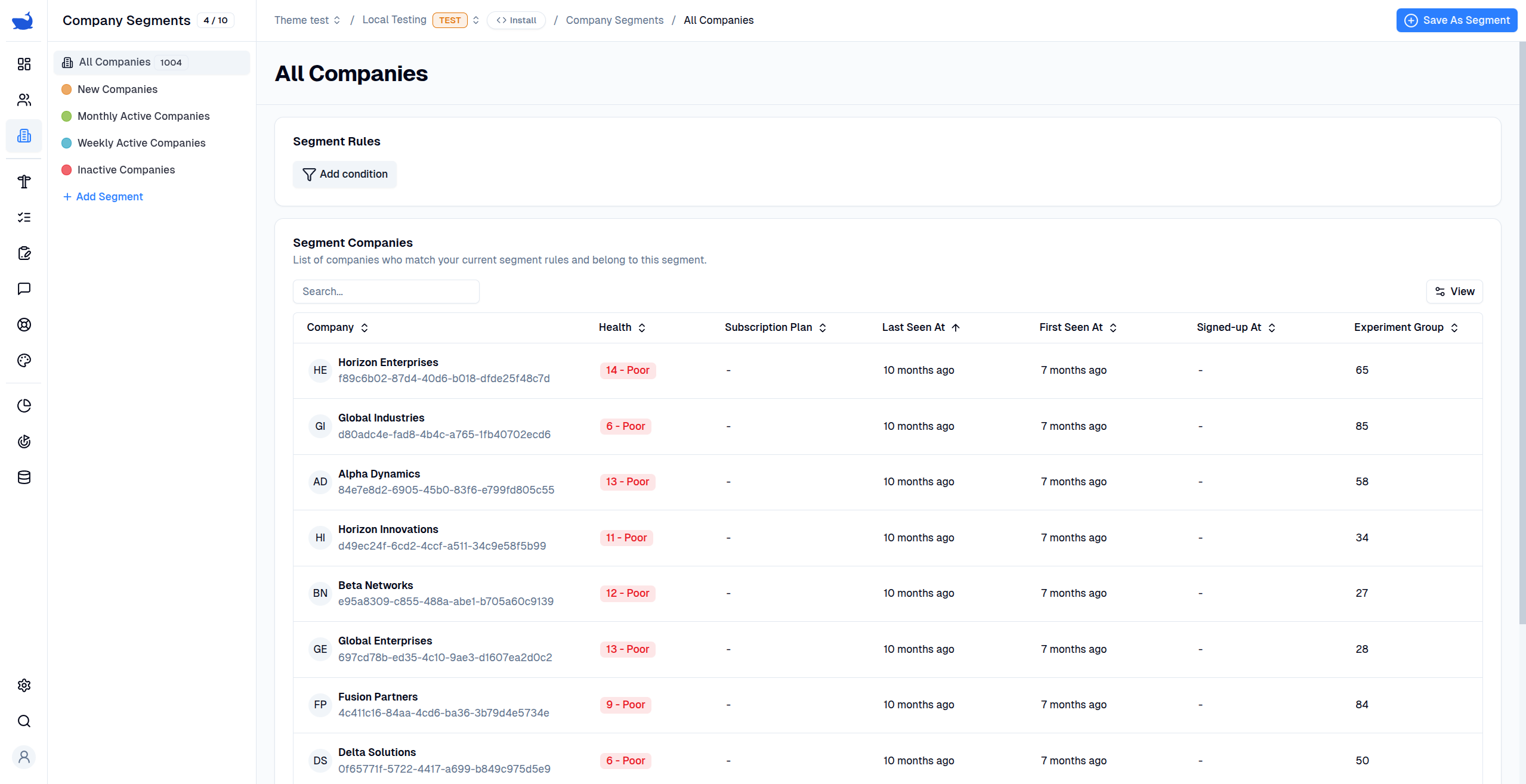 ## Configuration
* **Lifecycle Stage:** Groups segments into lifecycle stages for easier management and analysis.
* **Title:** Give your segment a meaningful title.
* **Description:** Provide a description of the segment to help your team understand its purpose.
* **Segment Rules:** Define the filters that determine which companies belong to this segment.
Company segmentation based on users' events is coming soon.
## Segment Rules
You can create company segments based on company properties or nest other company segments to avoid repeating the same rules.
You can combine multiple rules to define a segment using the `AND` and `OR` operators. This allows you to create complex filters that target specific companies.
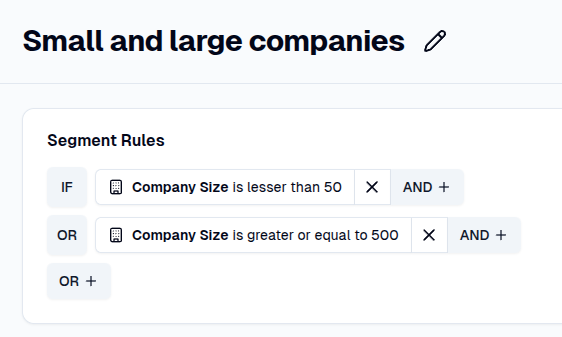
* **OR:** At least one of the rules must be true. For example, you can find small and large companies by using the `OR` operator on `Company Size`.
## Configuration
* **Lifecycle Stage:** Groups segments into lifecycle stages for easier management and analysis.
* **Title:** Give your segment a meaningful title.
* **Description:** Provide a description of the segment to help your team understand its purpose.
* **Segment Rules:** Define the filters that determine which companies belong to this segment.
Company segmentation based on users' events is coming soon.
## Segment Rules
You can create company segments based on company properties or nest other company segments to avoid repeating the same rules.
You can combine multiple rules to define a segment using the `AND` and `OR` operators. This allows you to create complex filters that target specific companies.
* **OR:** At least one of the rules must be true. For example, you can find small and large companies by using the `OR` operator on `Company Size`.
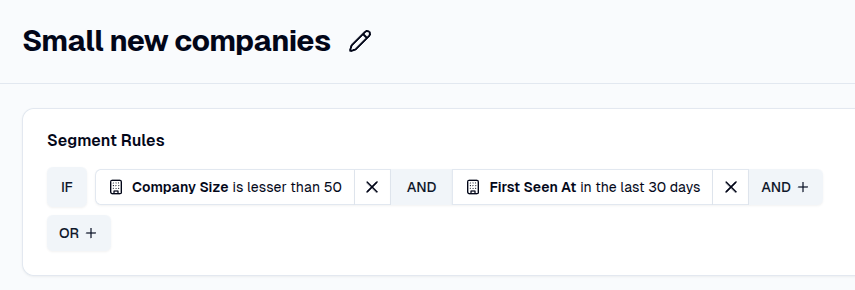
 * **AND:** All rules must be true. For example, to target small companies that were recently identified, use a combination of the `Company Size` and `First Seen At` company properties.
 ## Analytics
* **Segment Companies Table:** Displays all companies for the selected environment that belong to this segment (i.e., that match the segment rules).
## Analytics
* **Segment Companies Table:** Displays all companies for the selected environment that belong to this segment (i.e., that match the segment rules).